}
Showing posts with label technology in classroom. Show all posts

Sunday, October 26, 2014

How to Make QR Code Activities for your Classroom


http://www.teacherspayteachers.com/Product/How-to-Create-a-QR-Code-Activity-for-the-Classroom-User-Guide-1519602


What are QR Codes?
QR stands for quick response, and they do exactly what their name says.  They quickly get students to answers, videos, audio files, and various other educational content available online, thus minimizing the time it takes for students to check their work or find a location online where you want them to go.  No more typing in long or strange website URLs!  And, you instantly have more time available for learning!

How Can I Use QR Codes in my Classroom?
QR code activities are one of the EASIEST ways teachers can implement mobile devices in their classrooms AND they bring learning and student engagement to a whole new level!  Plus, they are so versatile!  You are only limited by your imagination! 

By far, the easiest way teachers can use QR codes in their classrooms is by simply taking worksheets they're already doing, inputting the problems/questions into task cards, and creating QR codes for the students to self-check their answers. Then, the task cards can be used in cooperative groups, scavenger hunts, posted around the room to get students out of their seats, or to play review games like SCOOT or Be the Teacher.

Some of my favorite ways to use QR codes include:

http://www.teacherspayteachers.com/Store/Watson-Works

Need Help Getting Started?
For detailed instructions (with pictures) on how to create your own QR code activities for your classroom, check out our FREE user guide available in our TpT store.  

http://www.teacherspayteachers.com/Product/How-to-Create-a-QR-Code-Activity-for-the-Classroom-User-Guide-1519602


No Time to Create your Own, but You Still Want to Try Them?
Check out some of the QR code activities we've created, as well as the numerous others created by other creative sellers on TpT.  Simply go to TpT, type in QR codes in the search box, and prepare to be amazed by the wealth of QR code activities that have already been created for you to use!

Here are a few of ours:

http://www.teacherspayteachers.com/Product/Zombie-Math-Task-CardsQR-Code-Version-2-Digit-Addition-Subtraction-1519511

http://www.teacherspayteachers.com/Product/Halloween-Listening-Centers-w-QR-Codes-Hyperlinks-12-Stories-Included-1479338

http://www.teacherspayteachers.com/Product/Creepy-Commas-Task-Cards-QR-Code-Version-1502715

http://www.teacherspayteachers.com/Product/Spooky-Sentences-Types-of-Sentences-Task-Cards-QR-Code-Version-1485557

http://www.teacherspayteachers.com/Product/Lets-Tour-the-School-Scavenger-Hunt-A-Back-to-School-Activity-w-QR-Codes-1326930

http://www.teacherspayteachers.com/Product/Lets-Tour-the-Classroom-Scavenger-Hunt-A-Back-to-School-Activity-w-QR-Codes-1352848

http://www.teacherspayteachers.com/Product/Ready-for-School-Back-to-School-3rd-Grade-Math-Review-Task-Cards-with-QR-Codes-1356293

If you have any questions, please feel free to email us at watsonworks1@outlook.com or comment below.

We look forward to hearing from you!


~Heather & Ashley
Watson Works


http://www.teacherspayteachers.com/Store/Watson-Works

Sunday, October 5, 2014

12 Most Checked Out Halloween Books in my Elementary Library

http://www.teacherspayteachers.com/Product/Halloween-Listening-Centers-w-QR-Codes-Hyperlinks-12-Stories-Included-1479338

For curiosity's sake, I recently ran a report to see which Halloween books were most frequently checked out in my elementary library in 2013, and these 12 won by a landslide:

1) Arthur’s Halloween by Marc Brown
2) Click, Clack, Boo! by Doreen Cronin & Betsy Lewin
3) Creepy Carrots by Aaron Reynolds
4) Druscilla’s Halloween by Sally M. Walker
5) Fancy Nancy: Halloween…or Bust! by Jane O’Connor
6) Froggy’s Halloween by Jonathan London
7) Halloween by Jerry Seinfeld
8) The Hallo-weiner by Dav Pilkey
9) Haunted House, Haunted Mouse by Judy Cox
10) I’m not Afraid of this Haunted House by Laurie Friedman
11) Scaredy-Cat, Splat! by Rob Scotton
12) There Was an Old Lady Who Swallowed a Bat! by Lucille Colandro
Because of these results, we were inspired to create our very first QR code listening centers.  We included each of these Halloween titles, and we're super excited about them!!

http://www.teacherspayteachers.com/Product/Halloween-Listening-Centers-w-QR-Codes-Hyperlinks-12-Stories-Included-1479338

Using QR code listening centers like these can drastically modernize and improve your listening centers.  Students will scan the QR Codes using a QR reader on their smart device (iPad, iPod, iPhone, tablets, etc.), then simply press play and listen to the stories being read by ME while they follow along in the book. A train “choo choo” will sound to alert students to turn the page. All of the narrations were made using AudioBoom.com, so this should help with districts who filter/block YouTube.

You can also use these listening centers on desktop/laptop computers by having the document open on the screen and allowing students to click the QR codes which are hyperlinked to the narrations of the stories on AudioBoom.com.

I can't wait to use these in my library this year!  We hope you like them, as well! :)

~Heather
Watson Works

http://www.teacherspayteachers.com/Store/Watson-Works

Sunday, September 21, 2014

QR Code Listening Centers (Part 2)

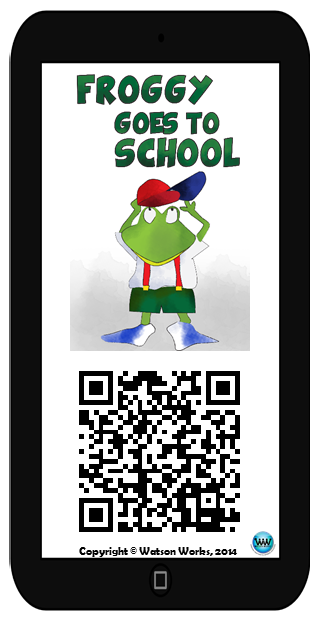
http://www.teacherspayteachers.com/Product/Froggy-Goes-to-School-Listening-Center-Card-FREEBIE-1458443After writing last week's post, How to Create a Listening Center Using the Audioboo App & QR Codes, we thought it might help to show you an example of one we made and give you a few extra tips to make it work in your class.

I LOVE the Froggy books by Jonathan London, so I created a FREE listening center card to accompany our Froggy Goes to School Sequencing Activity. (Please excuse my Texas twang...Haha!)  Click the picture on the right to download the listening center card for free.
Once you've printed/cut/laminated the listening center card, you should:
http://www.teacherspayteachers.com/Product/Froggy-Goes-to-School-A-Story-Sequencing-Activity-1355960
  1. Download a QR reader to the smart device(s) your students will be using in the listening center.
  2. Obtain a copy of Froggy Goes to School from your personal collection, school library, public library, local book store, or online, and place it in your listening center.
  3. http://www.amazon.com/Froggy-Goes-School-Jonathan-London/dp/0140562478/ref=sr_1_1?s=books&ie=UTF8&qid=1411321747&sr=1-1&keywords=froggy+goes+to+school
    • Suggested storage - Glue an index card sized library pocket on the inside cover of the book.  Place the listening center card inside the pocket.
      http://www.educationstation.ca/detail.php?id=142282
  4. Place the smart device in your listening center, along with some headphones/earbuds (make sure the device is connected to the Internet).  If you'd like multiple students to listen to the story at the same time from the same device, consider purchasing a headphone splitter.
    http://www.amazon.com/Belkin-Rockstar-Multi-Headphone-Splitter/dp/B00475K64E/ref=sr_1_3?s=electronics&ie=UTF8&qid=1411318591&sr=1-3&keywords=headphone+splitter
  5. Train students how to operate the smart device, QR reader, and the listening center.
Then, your students should:
  1. Scan the QR code using the QR reader on the smart device located in the listening center.
  2. Put on the headphones/earbuds.
  3. Press play and follow along with the book.  Note: A train "choo-choo" will sound to alert students to turn the page.
We hope you enjoy our free listening center card.  Comment below or email us at watsonworks1@outlook.com if you have any questions.  We'd love to hear from you!

~Heather
Watson Works


Wednesday, July 16, 2014

A Safe Space for Helping Teachers Make Technology Work in their Classrooms


Welcome to our blog!! This is an exciting time in which we have the ability to integrate technology with teaching. While some may be comfortable with this sudden shift, we realize others may not yet be, and that's why we are here... to help YOU! Consider this your safe space to ask questions, no matter what, because as we all know, someone else may be wondering the same thing but is too afraid to ask. We will do our best to provide you with new findings, helpful tech tips, and answer any questions and concerns you may have. 

We believe technology is the way of the future and getting on board with integrating it into your classroom now will help you be prepared for whatever the future holds. Thanks again for visiting, and we hope to help you with all your classroom technology needs!


Heather & Ashley Watson
Watson Works


"Education is the most powerful weapon which you can use to change the world."
-Nelson Mandela